Implement Queue without STL in C++ and Java Language
Queue: A queue is a container of objects that are inserted and removed according to first-in-first-out(FIFO) principle. [Problem] Enq...
Queue: A queue is a container of objects that are inserted and removed according to first-in-first-out(FIFO) principle. [Problem] Enq...
Stack: A stack is a container of objects that are inserted(push) and removed (pop) according to the last-in-first-out(LIFO) principle. ...

What the Unified Modeling Language is actually for, which diagrams earn their keep, how to read them, and the C# they turn into. Sheet 00 ...

This post assumes you already think in objects (classes, instances, inheritance, composition) and that you have written code that uses them. UML is a notation for object-oriented design; it will not teach you the design part. If the vocabulary feels shaky, read up on OOP concepts first and come back.
One more framing note. This is a guide to reading and writing UML, not a course on deriving a model from a messy problem domain. Those are different skills. Notation is the easy half.
Suppose you are adding a room to your house. You don't buy lumber and start nailing until it looks roughly correct. You draw plans first, because a plan is cheap to change and a wall is not.
Software has the same asymmetry. A model is a cheap place to be wrong. It lets you check that the structure holds together, that the requirements are actually covered, and that the design won't shatter the first time someone changes their mind about a feature. The value isn't the diagram; it's the thinking the diagram forces.
The second value is communication. Architects and builders both read blueprints because neither can do the job alone and English is too vague for load-bearing details. Software is the same, and gets worse as systems grow. UML gives the analyst, the designer, and the programmer one shared vocabulary for arguing about the same thing.
UML is a standardized visual language for specifying, visualizing, constructing, and documenting the artifacts of a system. It is a notation, not a process; it tells you how to draw, not what to draw or when.
A practical corollary: UML is not all-or-nothing. Almost nobody produces the full set of diagrams for a real project, and the teams that try end up maintaining documentation instead of software. Draw the diagram that answers the question you currently have. Throw it away when it stops answering.
Margin note
Most UML you will meet in the wild is on a whiteboard, half-erased, with three arrows that aren't legal. That is fine. Rigor matters when the drawing has to outlive the conversation.
Classic UML 1.x defined nine diagram types. UML 2.x expanded this to fourteen and reorganized them into two groups.
Note the renaming: the old Collaboration diagram is now the Communication diagram, and Statechart is now State Machine. You'll still see the old names in older books and tools.
In practice a handful do most of the work. This post covers five: Use Case, Activity, Sequence, Communication, and Class.
A use case diagram has three ingredients: actors, use cases, and the communication associations between them.
Use cases grow out of scenarios, concrete stories about someone using the system: a patient calls the clinic to book a yearly checkup; the receptionist finds the nearest open slot and schedules it. A use case is the summary of all the scenarios that share one goal: the happy path plus every variation.

The diagram describes the system from the standpoint of an outside observer. What it does, never how. It cannot show design, it cannot show internals, and it is not a decomposition of your architecture. Its job is to fix the boundary (everything inside is yours to build, everything outside is context) and to give you something a customer can look at and correct.

«include» and «extend» relationships.«include»/«extend» excepted). A use case nothing initiates is a use case nobody asked for.Failure mode
Use case diagrams that keep splitting until they resemble a call graph. If your diagram has thirty bubbles, you stopped modeling goals and started modeling code.
An activity diagram is a flowchart with a rigorous grammar. Where a state machine diagram watches one object move through its lifecycle, an activity diagram watches a process move through its steps, and shows which steps depend on which.
Take "withdraw money from an account through an ATM." Three participants are involved (Customer, ATM, Bank) and each gets a vertical swimlane. That is what makes the diagram valuable: it shows not just the order of work but who is responsible for each piece.

Activity diagrams are the one UML diagram non-technical stakeholders reliably read without training. That alone makes them worth drawing.
A sequence diagram traces functionality through a single use case, ordered by time. Read it top to bottom.
The Withdraw Money use case has many sequences: the normal withdrawal, the wrong PIN, insufficient funds, a card that won't read. Draw one diagram per sequence. Cramming every branch into one diagram is how sequence diagrams become unreadable.
The detail people miss
Sequence diagrams show objects, not classes. Not "a Customer" but Joe. The specificity is the point: it forces you to walk a real path instead of waving at an abstraction.

Three audiences get three things from the same picture. Users check that this is how their business actually works. Analysts follow the flow. Developers read off the objects they need to build and the operations those objects must expose, which is the quiet reason sequence diagrams are the most useful design artifact on this list.
A communication diagram (formerly "collaboration diagram") contains exactly the same information as its sequence diagram. Same objects, same actors, same messages. What changes is the layout, and the layout changes what you notice.
The sequence diagram organizes by time. The communication diagram organizes by structure: objects are placed freely, a line is drawn between any two that talk directly, and message order is recovered from numbering rather than vertical position.

This is why architects and QA engineers reach for it. Coupling is a topology problem, and this is the diagram that shows topology.
A class diagram shows the system's classes and how they relate. It is static: it shows what interacts, never what happens when they do. That's the interaction diagrams' job. The two are complements, not alternatives.
Consider a retail catalog order. The central class is Order, associated with the Customer making the purchase and with Payment. A Payment is one of three kinds: Cash, Check, or Credit. An Order contains OrderDetail line items, each tied to an Item.

/total) marks a derived attribute: computed, not stored. That one mark saves an argument about database columns.An association has two ends, and each end can be annotated. A role name clarifies what the end means. An OrderDetail is a line item of its Order. A navigability arrow shows which way the association can be traversed and, implicitly, who owns the implementation: OrderDetail can be asked about its Item; Item knows nothing of OrderDetail. No arrows at all means bidirectional. Multiplicity is the number of instances of one class that can attach to a single instance at the other end.
| Notation | Meaning |
|---|---|
| 0..1 | Zero or one. Generally, n..m means n to m instances. |
| 0..* or * | Any number, including none. |
| 1 | Exactly one. |
| 1..* | At least one. |
Why this is worth the pedantry0..1versus1is the difference between a nullable column and a NOT NULL one.1versus1..*is the difference between a field and a table. Getting these wrong on the whiteboard is free. Getting them wrong after the schema ships is not.
Notation earns its keep only if it survives contact with a compiler. Here is Fig. 06, transcribed. Every mark on the drawing lands somewhere concrete.
Fig. 06 → C# · Structure
// Generalization ▲ : abstract name was italic on the drawing.
public abstract class Payment
{
    public decimal Amount { get; init; }
    public abstract AuthResult Authorize();   // italic op = abstract
}

public sealed class Cash   : Payment { public override AuthResult Authorize() => AuthResult.Ok; }
public sealed class Check  : Payment { public override AuthResult Authorize() => _clearing.Verify(this); }
public sealed class Credit : Payment { public override AuthResult Authorize() => _gateway.Charge(Amount); }

public class Order
{
    private readonly List<OrderDetail> _lines = new();

    // Aggregation ◆ 1..* : the diamond sat on Order, so Order owns the collection.
    public IReadOnlyList<OrderDetail> Lines => _lines;

    // Association 1 ── 0..* to Customer, navigable from Order.
    public Customer Customer { get; init; } = null!;   // multiplicity 1 → non-nullable

    // Association 1 ── 1..* to Payment. "At least one" is an invariant, not a comment.
    private readonly List<Payment> _payments = new();
    public IReadOnlyList<Payment> Payments => _payments;

    // Derived attribute /total : computed, never stored.
    public decimal Total => _lines.Sum(l => l.Subtotal);

    public void Confirm()
    {
        if (_payments.Count == 0)
            throw new InvalidOperationException("Order requires at least one payment (1..*).");
        // ...
    }
}

public class OrderDetail
{
    public int Quantity { get; set; }

    // Navigability → : OrderDetail knows its Item. Item does NOT know OrderDetail.
    public Item Item { get; init; } = null!;

    public decimal Subtotal => Quantity * Item.Price;
}

public class Item
{
    public string Sku { get; init; } = "";
    public decimal Price { get; init; }
    // No List<OrderDetail> here. The drawing said one-way, and one-way is cheaper.
}
Read the two artifacts side by side and the translation rules fall out:
1 becomes a non-nullable reference. 0..1 becomes Item?.0..* / 1..* becomes a collection, and 1..* becomes a guard clause, because "at least one" is a rule someone has to enforce at runtime.IReadOnlyList and which side has no back-reference at all.Real-time check
This is also why a class diagram survives ORM work. Multiplicity maps to nullability and cardinality; aggregation maps to owned/dependent entities; navigability maps to whether you configure one navigation property or two. The drawing already made those decisions; the mapping just writes them down.
The interaction diagrams translate just as directly. Fig. 04 is not decoration; it is the method body and, more usefully, the test:
Fig. 04 → C# · Behavior
// Every message on the sequence diagram is one line here.
public class Account
{
    private readonly IDispenser _dispenser;
    private readonly ICardReader _cardReader;
    public decimal Balance { get; private set; }

    public async Task<WithdrawResult> WithdrawAsync(decimal amount)
    {
        if (!VerifyBalance(amount))              // self-message 1
            return WithdrawResult.InsufficientFunds;

        Debit(amount);                          // self-message 2

        // The fork in Fig. 03 is not stylistic. It is Task.WhenAll.
        await Task.WhenAll(
            _dispenser.DispenseCashAsync(amount),
            _dispenser.PrintReceiptAsync());

        await _cardReader.EjectCardAsync();      // join, then eject
        return WithdrawResult.Ok;
    }
}
Fig. 04 → Test · The payoff
[Fact]
public async Task Withdraw_20_dispenses_cash_prints_receipt_and_ejects_card()
{
    var account = new Account(dispenser, cardReader) { Balance = 100m };

    var result = await account.WithdrawAsync(20m);

    result.ShouldBe(WithdrawResult.Ok);
    account.Balance.ShouldBe(80m);
    dispenser.Received().DispenseCashAsync(20m);
    dispenser.Received().PrintReceiptAsync();
    cardReader.Received().EjectCardAsync();
}
That test is the sequence diagram, read out loud. Which is the whole argument for drawing one: a scenario you can draw is a scenario you can assert.
Thanks for reading.

Microsoft has been developed an API named SetWindowDisplayAffinity to support the window content protection. This feature enables ap...

BOOL SetWindowDisplayAffinity(HWND hWnd,DWORD dwAffinity);
using System;
using System.Windows.Forms;
using System.Runtime.InteropServices;

namespace WindowsFormsAppPrtScrProtector
{
    public partial class Form1 : Form
    {
        const uint WDA_NONE = 0;
        const uint WDA_MONITOR = 1;

        [DllImport("user32.dll")]
        public static extern uint SetWindowDisplayAffinity(IntPtr hWnd, uint dwAffinity);
        public Form1()
        {
           InitializeComponent();
        }

        private void Form1_Load(object sender, EventArgs e)
        {
             SetWindowDisplayAffinity(this.Handle, WDA_MONITOR);
        }
    }
 }
private void ContentControl_Loaded(object sender, RoutedEventArgs e){
        IntPtr hwnd = new WindowInteropHelper(this).Handle;
        SetWindowDisplayAffinity(hwnd, WDA_MONITOR);
 }
BOOL InitInstance(HINSTANCE hInstance, int nCmdShow)
{
   hInst = hInstance; // Store instance handle in our global variable

   HWND hWnd = CreateWindowW(szWindowClass, szTitle, WS_OVERLAPPEDWINDOW,
  CW_USEDEFAULT, 0, CW_USEDEFAULT, 0, nullptr, nullptr, hInstance, nullptr);

   if (!hWnd)
   {
      return FALSE;
   }

   SetWindowDisplayAffinity(hWnd, WDA_MONITOR);

   ShowWindow(hWnd, nCmdShow);
   UpdateWindow(hWnd);

   return TRUE;
}

Why Singleton Instance: A single Instance is a must for desktop-based applications. Assume your application has been opened and then the u...
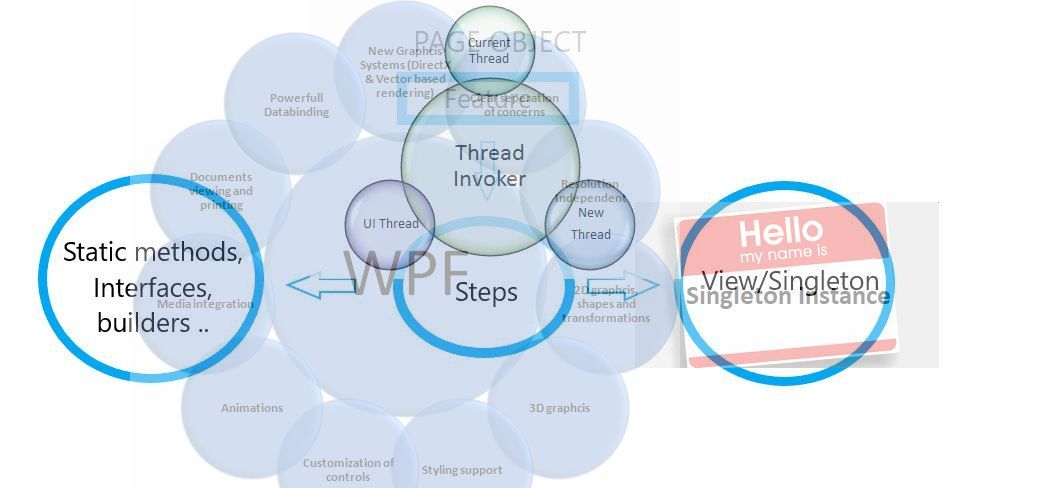
A single Instance is a must for desktop-based applications. Assume
your application has been opened and then the user clicks again in the desktop
shortcut then, running the application should be focused if it is minimized in
the taskbar or hide in the task tray instead of opening a new instance. There are
several ways to do that. Most of the cases developers use Mutex. There are lots
of code related to this Singleton instance over the web. Today I’ll talk about
Microsoft’s SingleInstance.cs
class and its uses, which are very secured and safe to use. You don’t have to
dispose of anything manually, all of the tasks will be done by this class. Here
below is the process.
è Add this class in the project
è Add a reference to System.Runtime.Remoting
//-----------------------------------------------------------------------
// <copyright file="SingleInstance.cs" company="Microsoft">
//     Copyright (c) Microsoft Corporation.  All rights reserved.
// </copyright>
// <summary>
//     This class checks to make sure that only one instance of
//     this application is running at a time.
// </summary>
//-----------------------------------------------------------------------

namespace Microsoft.Shell
{
using System;
using System.Collections;
using System.Collections.Generic;
using System.IO;
using System.Runtime.Remoting;
using System.Runtime.Remoting.Channels;
using System.Runtime.Remoting.Channels.Ipc;
using System.Runtime.Serialization.Formatters;
using System.Threading;
using System.Windows;
using System.Windows.Threading;
using System.Xml.Serialization;
using System.Security;
using System.Runtime.InteropServices;
using System.ComponentModel;

internal enum WM
{
    NULL = 0x0000,
    CREATE = 0x0001,
    DESTROY = 0x0002,
    MOVE = 0x0003,
    SIZE = 0x0005,
    ACTIVATE = 0x0006,
    SETFOCUS = 0x0007,
    KILLFOCUS = 0x0008,
    ENABLE = 0x000A,
    SETREDRAW = 0x000B,
    SETTEXT = 0x000C,
    GETTEXT = 0x000D,
    GETTEXTLENGTH = 0x000E,
    PAINT = 0x000F,
    CLOSE = 0x0010,
    QUERYENDSESSION = 0x0011,
    QUIT = 0x0012,
    QUERYOPEN = 0x0013,
    ERASEBKGND = 0x0014,
    SYSCOLORCHANGE = 0x0015,
    SHOWWINDOW = 0x0018,
    ACTIVATEAPP = 0x001C,
    SETCURSOR = 0x0020,
    MOUSEACTIVATE = 0x0021,
    CHILDACTIVATE = 0x0022,
    QUEUESYNC = 0x0023,
    GETMINMAXINFO = 0x0024,

    WINDOWPOSCHANGING = 0x0046,
    WINDOWPOSCHANGED = 0x0047,

    CONTEXTMENU = 0x007B,
    STYLECHANGING = 0x007C,
    STYLECHANGED = 0x007D,
    DISPLAYCHANGE = 0x007E,
    GETICON = 0x007F,
    SETICON = 0x0080,
    NCCREATE = 0x0081,
    NCDESTROY = 0x0082,
    NCCALCSIZE = 0x0083,
    NCHITTEST = 0x0084,
    NCPAINT = 0x0085,
    NCACTIVATE = 0x0086,
    GETDLGCODE = 0x0087,
    SYNCPAINT = 0x0088,
    NCMOUSEMOVE = 0x00A0,
    NCLBUTTONDOWN = 0x00A1,
    NCLBUTTONUP = 0x00A2,
    NCLBUTTONDBLCLK = 0x00A3,
    NCRBUTTONDOWN = 0x00A4,
    NCRBUTTONUP = 0x00A5,
    NCRBUTTONDBLCLK = 0x00A6,
    NCMBUTTONDOWN = 0x00A7,
    NCMBUTTONUP = 0x00A8,
    NCMBUTTONDBLCLK = 0x00A9,

    SYSKEYDOWN = 0x0104,
    SYSKEYUP = 0x0105,
    SYSCHAR = 0x0106,
    SYSDEADCHAR = 0x0107,
    COMMAND = 0x0111,
    SYSCOMMAND = 0x0112,

    MOUSEMOVE = 0x0200,
    LBUTTONDOWN = 0x0201,
    LBUTTONUP = 0x0202,
    LBUTTONDBLCLK = 0x0203,
    RBUTTONDOWN = 0x0204,
    RBUTTONUP = 0x0205,
    RBUTTONDBLCLK = 0x0206,
    MBUTTONDOWN = 0x0207,
    MBUTTONUP = 0x0208,
    MBUTTONDBLCLK = 0x0209,
    MOUSEWHEEL = 0x020A,
    XBUTTONDOWN = 0x020B,
    XBUTTONUP = 0x020C,
    XBUTTONDBLCLK = 0x020D,
    MOUSEHWHEEL = 0x020E,


    CAPTURECHANGED = 0x0215,

    ENTERSIZEMOVE = 0x0231,
    EXITSIZEMOVE = 0x0232,

    IME_SETCONTEXT = 0x0281,
    IME_NOTIFY = 0x0282,
    IME_CONTROL = 0x0283,
    IME_COMPOSITIONFULL = 0x0284,
    IME_SELECT = 0x0285,
    IME_CHAR = 0x0286,
    IME_REQUEST = 0x0288,
    IME_KEYDOWN = 0x0290,
    IME_KEYUP = 0x0291,

    NCMOUSELEAVE = 0x02A2,

    DWMCOMPOSITIONCHANGED = 0x031E,
    DWMNCRENDERINGCHANGED = 0x031F,
    DWMCOLORIZATIONCOLORCHANGED = 0x0320,
    DWMWINDOWMAXIMIZEDCHANGE = 0x0321,

    #region Windows 7
    DWMSENDICONICTHUMBNAIL = 0x0323,
    DWMSENDICONICLIVEPREVIEWBITMAP = 0x0326,
    #endregion

    USER = 0x0400,

    // This is the hard-coded message value used by WinForms for Shell_NotifyIcon.
    // It's relatively safe to reuse.
    TRAYMOUSEMESSAGE = 0x800, //WM_USER + 1024
    APP = 0x8000,
}

[SuppressUnmanagedCodeSecurity]
internal static class NativeMethods
{
    /// <summary>
    /// Delegate declaration that matches WndProc signatures.
    /// </summary>
    public delegate IntPtr MessageHandler(WM uMsg, IntPtr wParam, IntPtr lParam, out bool handled);

    [DllImport("shell32.dll", EntryPoint = "CommandLineToArgvW", CharSet = CharSet.Unicode)]
    private static extern IntPtr _CommandLineToArgvW([MarshalAs(UnmanagedType.LPWStr)] string cmdLine, out int numArgs);


    [DllImport("kernel32.dll", EntryPoint = "LocalFree", SetLastError = true)]
    private static extern IntPtr _LocalFree(IntPtr hMem);


    public static string[] CommandLineToArgvW(string cmdLine)
    {
        IntPtr argv = IntPtr.Zero;
        try
        {
            int numArgs = 0;

            argv = _CommandLineToArgvW(cmdLine, out numArgs);
            if (argv == IntPtr.Zero)
            {
                throw new Win32Exception();
            }
            var result = new string[numArgs];

            for (int i = 0; i < numArgs; i++)
            {
                IntPtr currArg = Marshal.ReadIntPtr(argv, i * Marshal.SizeOf(typeof(IntPtr)));
                result[i] = Marshal.PtrToStringUni(currArg);
            }

            return result;
        }
        finally
        {

            IntPtr p = _LocalFree(argv);
            // Otherwise LocalFree failed.
            // Assert.AreEqual(IntPtr.Zero, p);
        }
    }

}

public interface ISingleInstanceApp
{
     bool SignalExternalCommandLineArgs(IList<string> args);
}

/// <summary>
/// This class checks to make sure that only one instance of
/// this application is running at a time.
/// </summary>
/// <remarks>
/// Note: this class should be used with some caution because it does no
/// security checking. For example, if one instance of an app that uses this class
/// is running as Administrator, any other instance, even if it is not
/// running as Administrator can activate it with command line arguments.
/// For most apps, this will not be much of an issue.
/// </remarks>
public static class SingleInstance<TApplication>
            where   TApplication: Application ,  ISingleInstanceApp

{
    #region Private Fields

    /// <summary>
    /// String delimiter used in channel names.
    /// </summary>
    private const string Delimiter = ":";

    /// <summary>
    /// Suffix to the channel name.
    /// </summary>
    private const string ChannelNameSuffix = "SingeInstanceIPCChannel";

    /// <summary>
    /// Remote service name.
    /// </summary>
    private const string RemoteServiceName = "SingleInstanceApplicationService";

    /// <summary>
    /// IPC protocol used (string).
    /// </summary>
    private const string IpcProtocol = "ipc://";

    /// <summary>
    /// Application mutex.
    /// </summary>
    private static Mutex singleInstanceMutex;

    /// <summary>
    /// IPC channel for communications.
    /// </summary>
    private static IpcServerChannel channel;

    /// <summary>
    /// List of command line arguments for the application.
    /// </summary>
    private static IList<string> commandLineArgs;

    #endregion

    #region Public Properties

    /// <summary>
    /// Gets list of command line arguments for the application.
    /// </summary>
    public static IList<string> CommandLineArgs
    {
        get { return commandLineArgs; }
    }

    #endregion

    #region Public Methods

    /// <summary>
    /// Checks if the instance of the application attempting to start is the first instance.
    /// If not, activates the first instance.
    /// </summary>
    /// <returns>True if this is the first instance of the application.</returns>
    public static bool InitializeAsFirstInstance( string uniqueName )
    {
        commandLineArgs = GetCommandLineArgs(uniqueName);

        // Build unique application Id and the IPC channel name.
        string applicationIdentifier = uniqueName + Environment.UserName;

        string channelName = String.Concat(applicationIdentifier, Delimiter, ChannelNameSuffix);

        // Create mutex based on unique application Id to check if this is the first instance of the application.
        bool firstInstance;
        singleInstanceMutex = new Mutex(true, applicationIdentifier, out firstInstance);
        if (firstInstance)
        {
            CreateRemoteService(channelName);
        }
        else
        {
            SignalFirstInstance(channelName, commandLineArgs);
        }

        return firstInstance;
    }

    /// <summary>
    /// Cleans up single-instance code, clearing shared resources, mutexes, etc.
    /// </summary>
    public static void Cleanup()
    {
        if (singleInstanceMutex != null)
        {
            singleInstanceMutex.Close();
            singleInstanceMutex = null;
        }

        if (channel != null)
        {
            ChannelServices.UnregisterChannel(channel);
            channel = null;
        }
    }

    #endregion

    #region Private Methods

    /// <summary>
    /// Gets command line args - for ClickOnce deployed applications, command line args may not be passed directly, they have to be retrieved.
    /// </summary>
    /// <returns>List of command line arg strings.</returns>
    private static IList<string> GetCommandLineArgs( string uniqueApplicationName )
    {
        string[] args = null;
        if (AppDomain.CurrentDomain.ActivationContext == null)
        {
            // The application was not clickonce deployed, get args from standard API's
            args = Environment.GetCommandLineArgs();
        }
        else
        {
            // The application was clickonce deployed
            // Clickonce deployed apps cannot recieve traditional commandline arguments
            // As a workaround commandline arguments can be written to a shared location before
            // the app is launched and the app can obtain its commandline arguments from the
            // shared location
            string appFolderPath = Path.Combine(
                Environment.GetFolderPath(Environment.SpecialFolder.LocalApplicationData), uniqueApplicationName);

            string cmdLinePath = Path.Combine(appFolderPath, "cmdline.txt");
            if (File.Exists(cmdLinePath))
            {
                try
                {
                    using (TextReader reader = new StreamReader(cmdLinePath, System.Text.Encoding.Unicode))
                    {
                        args = NativeMethods.CommandLineToArgvW(reader.ReadToEnd());
                    }

                    File.Delete(cmdLinePath);
                }
                catch (IOException)
                {
                }
            }
        }

        if (args == null)
        {
            args = new string[] { };
        }

        return new List<string>(args);
    }

    /// <summary>
    /// Creates a remote service for communication.
    /// </summary>
    /// <param name="channelName">Application's IPC channel name.</param>
    private static void CreateRemoteService(string channelName)
    {
        BinaryServerFormatterSinkProvider serverProvider = new BinaryServerFormatterSinkProvider();
        serverProvider.TypeFilterLevel = TypeFilterLevel.Full;
        IDictionary props = new Dictionary<string, string>();

        props["name"] = channelName;
        props["portName"] = channelName;
        props["exclusiveAddressUse"] = "false";

        // Create the IPC Server channel with the channel properties
        channel = new IpcServerChannel(props, serverProvider);

        // Register the channel with the channel services
        ChannelServices.RegisterChannel(channel, true);

        // Expose the remote service with the REMOTE_SERVICE_NAME
        IPCRemoteService remoteService = new IPCRemoteService();
        RemotingServices.Marshal(remoteService, RemoteServiceName);
    }

    /// <summary>
    /// Creates a client channel and obtains a reference to the remoting service exposed by the server -
    /// in this case, the remoting service exposed by the first instance. Calls a function of the remoting service
    /// class to pass on command line arguments from the second instance to the first and cause it to activate itself.
    /// </summary>
    /// <param name="channelName">Application's IPC channel name.</param>
    /// <param name="args">
    /// Command line arguments for the second instance, passed to the first instance to take appropriate action.
    /// </param>
    private static void SignalFirstInstance(string channelName, IList<string> args)
    {
        IpcClientChannel secondInstanceChannel = new IpcClientChannel();
        ChannelServices.RegisterChannel(secondInstanceChannel, true);

        string remotingServiceUrl = IpcProtocol + channelName + "/" + RemoteServiceName;

        // Obtain a reference to the remoting service exposed by the server i.e the first instance of the application
        IPCRemoteService firstInstanceRemoteServiceReference = (IPCRemoteService)RemotingServices.Connect(typeof(IPCRemoteService), remotingServiceUrl);

        // Check that the remote service exists, in some cases the first instance may not yet have created one, in which case
        // the second instance should just exit
        if (firstInstanceRemoteServiceReference != null)
        {
            // Invoke a method of the remote service exposed by the first instance passing on the command line
            // arguments and causing the first instance to activate itself
            firstInstanceRemoteServiceReference.InvokeFirstInstance(args);
        }
    }

    /// <summary>
    /// Callback for activating first instance of the application.
    /// </summary>
    /// <param name="arg">Callback argument.</param>
    /// <returns>Always null.</returns>
    private static object ActivateFirstInstanceCallback(object arg)
    {
        // Get command line args to be passed to first instance
        IList<string> args = arg as IList<string>;
        ActivateFirstInstance(args);
        return null;
    }

    /// <summary>
    /// Activates the first instance of the application with arguments from a second instance.
    /// </summary>
    /// <param name="args">List of arguments to supply the first instance of the application.</param>
    private static void ActivateFirstInstance(IList<string> args)
    {
        // Set main window state and process command line args
        if (Application.Current == null)
        {
            return;
        }

        ((TApplication)Application.Current).SignalExternalCommandLineArgs(args);
    }

    #endregion

    #region Private Classes

    /// <summary>
    /// Remoting service class which is exposed by the server i.e the first instance and called by the second instance
    /// to pass on the command line arguments to the first instance and cause it to activate itself.
    /// </summary>
    private class IPCRemoteService : MarshalByRefObject
    {
        /// <summary>
        /// Activates the first instance of the application.
        /// </summary>
        /// <param name="args">List of arguments to pass to the first instance.</param>
        public void InvokeFirstInstance(IList<string> args)
        {
            if (Application.Current != null)
            {
                // Do an asynchronous call to ActivateFirstInstance function
                Application.Current.Dispatcher.BeginInvoke(
                    DispatcherPriority.Normal, new DispatcherOperationCallback(SingleInstance<TApplication>.ActivateFirstInstanceCallback), args);
            }
        }

        /// <summary>
        /// Remoting Object's ease expires after every 5 minutes by default. We need to override the InitializeLifetimeService class
        /// to ensure that lease never expires.
        /// </summary>
        /// <returns>Always null.</returns>
        public override object InitializeLifetimeService()
        {
            return null;
        }
    }

    #endregion
  }
 }
è
Implement ISingleInstanceApp in the App.xaml.cs by redefining Main functions. This Interface has only one method and will be called for the second instance.
public partial class App : Application,ISingleInstanceApp
{
    private const string MyAppUniqueGUID = "MyGitHubProject{YEASIR00-7DOT-BLOG-SPOT-DOTCOM06LOL7}";
    [STAThread]
    public static void Main()
    {
        if (SingleInstance<App>.InitializeAsFirstInstance(MyAppUniqueGUID))
        {
            var application = new App();
            application.InitializeComponent();
            application.Run();
            // Allow single instance code to perform cleanup operations
            SingleInstance<App>.Cleanup();
        }
    }

    #region ISingleInstanceApp Members
    public bool SignalExternalCommandLineArgs(IList<string> args)
    {
        //This args contains commandLine Parameter for the Second instance
        if ((MainWindow.WindowState == WindowState.Minimized))
        {
            MainWindow.WindowState = WindowState.Normal;
        }
        if (MainWindow.Visibility != Visibility.Visible)
        {
            MainWindow.UpdateLayout();
            MainWindow.Visibility = Visibility.Visible;
        }

        MainWindow.Activate();
        MainWindow.Focus();
        MainWindow.Topmost = true;

        return true;
    }
    #endregion
 }
è Set new main entry point by selecting Project Properties –> Application and set “Startup object” to your App class name instead of “(Not Set)”.

è
Cancel the default WPF main function by right
click on App.xaml =>Properties => Set Build Action to “Page” instead of “Application
Definition”

Happy coding. :)
Searches every article on this blog
Finds posts by keyword — it does not write answers.