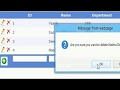
Add Edit Delete in Gridview with XML database :Source code Download link:download source code
.aspx code:
VIDEO
<%@ Page Language = "C#" AutoEventWireup = "true" CodeFile = "Default.aspx.cs" Inherits = "_Default" %>
<! DOCTYPE html PUBLIC "-//W3C//DTD XHTML 1.0 Transitional//EN" "http://www.w3.org/TR/xhtml1/DTD/xhtml1-transitional.dtd" >
< html xmlns = "http://www.w3.org/1999/xhtml" >
< head id = "Head1" runat = "server" >
<title> Untitled Page </ title >
< style type = "text/css" >
. Gridview
{
font - family : Verdana ;
font - size : 10pt ;
font - weight : normal ;
color : black ;
text - align : justify ;
}
</ style >
< script type = "text/javascript" >
function ConfirmationBox ( username ) {
var result = confirm ( 'Are you sure you want to delete ' + username + ' Details?' );
if ( result ) {
return true ;
}
else {
return false ;
}
}
</ script >
</ head >
<body>
< form id = "form1" runat = "server" >
<div>
< asp : GridView ID = "dgvStudentDetails" DataKeyNames = "intStudentId,strName"
runat = "server" AutoGenerateColumns = "False"
CssClass = "Gridview" HeaderStyle - BackColor = "#61A6F8" ShowFooter = "True" HeaderStyle - Font - Bold = "true"
HeaderStyle - ForeColor = "White" OnRowCancelingEdit = "dgvStudentDetails_RowCancelingEdit"
OnRowDeleting = "dgvStudentDetails_RowDeleting"
OnRowEditing = "dgvStudentDetails_RowEditing" OnRowUpdating = "dgvStudentDetails_RowUpdating"
OnRowCommand = "dgvStudentDetails_RowCommand" CellPadding = "4"
ForeColor = "#333333" GridLines = "None"
onrowdatabound = "dgvStudentDetails_RowDataBound" >
< AlternatingRowStyle BackColor = "White" />
< Columns >
< asp : TemplateField >
< EditItemTemplate >
< asp : ImageButton ID = "imgbtnUpdate" CommandName = "Update" runat = "server" ImageUrl = "~/Images/update.jpg"
ToolTip = "Update" Height = "20px" Width = "20px" />
< asp : ImageButton ID = "imgbtnCancel" runat = "server" CommandName = "Cancel" ImageUrl = "~/Images/Cancel.jpg"
ToolTip = "Cancel" Height = "20px" Width = "20px" />
</ EditItemTemplate >
< ItemTemplate >
< asp : ImageButton ID = "imgbtnEdit" CommandName = "Edit" runat = "server" ImageUrl = "~/Images/Edit.jpg"
ToolTip = "Edit" Height = "20px" Width = "20px" />
< asp : ImageButton ID = "imgbtnDelete" CommandName = "Delete" Text = "Edit" runat = "server"
ImageUrl = "~/Images/delete.jpg" ToolTip = "Delete" Height = "20px" Width = "20px" />
</ ItemTemplate >
< FooterTemplate >
< asp : ImageButton ID = "imgbtnAdd" runat = "server" ImageUrl = "~/Images/AddNewitem.jpg"
CommandName = "AddNew" Width = "30px" Height = "30px" ToolTip = "Add new User" ValidationGroup = "validaiton" />
</ FooterTemplate >
</ asp : TemplateField >
< asp : TemplateField HeaderText = "ID" >
< EditItemTemplate >
< asp : Label ID = "lbleditStudentId" runat = "server" Text = '<%#Eval("intStudentId") %>' />
</ EditItemTemplate >
< ItemTemplate >
< asp : Label ID = "lblitemStudentId" runat = "server" Text = '<%#Eval("intStudentId") %>' />
</ ItemTemplate >
< FooterTemplate >
< asp : TextBox ID = "txtftrStudentId" runat = "server" />
< asp : RequiredFieldValidator ID = "rfvStudentId" runat = "server" ControlToValidate = "txtftrStudentId"
Text = "*" ValidationGroup = "validaiton" />
</ FooterTemplate >
< ItemStyle Width = "100px" VerticalAlign = "Middle" />
</ asp : TemplateField >
< asp : TemplateField HeaderText = "Name" >
< EditItemTemplate >
< asp : TextBox ID = "txtName" runat = "server" Text = '<%#Eval("strName") %>' />
</ EditItemTemplate >
< ItemTemplate >
< asp : Label ID = "lblName" runat = "server" Text = '<%#Eval("strName") %>' />
</ ItemTemplate >
< FooterTemplate >
< asp : TextBox ID = "txtftrName" runat = "server" />
< asp : RequiredFieldValidator ID = "rfvName" runat = "server" ControlToValidate = "txtftrName"
Text = "*" ValidationGroup = "validaiton" />
</ FooterTemplate >
< ItemStyle Width = "150px" VerticalAlign = "Middle" />
</ asp : TemplateField >
< asp : TemplateField HeaderText = "Department" >
< EditItemTemplate >
< asp : TextBox ID = "txtDepartment" runat = "server" Text = '<%#Eval("strDepartment") %>' />
</ EditItemTemplate >
< ItemTemplate >
< asp : Label ID = "lblDepartment" runat = "server" Text = '<%#Eval("strDepartment") %>' />
</ ItemTemplate >
< FooterTemplate >
< asp : TextBox ID = "txtftrDepartment" runat = "server" />
< asp : RequiredFieldValidator ID = "rfvDepartment" runat = "server" ControlToValidate = "txtftrDepartment"
Text = "*" ValidationGroup = "validaiton" />
</ FooterTemplate >
< ItemStyle Width = "100px" VerticalAlign = "Middle" />
</ asp : TemplateField >
</ Columns >
< EditRowStyle BackColor = "#2461BF" />
< FooterStyle BackColor = "#507CD1" Font - Bold = "True" ForeColor = "White" />
< HeaderStyle BackColor = "#507CD1" Font - Bold = "True" ForeColor = "White" ></ HeaderStyle >
< PagerStyle BackColor = "#2461BF" ForeColor = "White" HorizontalAlign = "Center" />
< RowStyle BackColor = "#EFF3FB" />
< SelectedRowStyle BackColor = "#D1DDF1" Font - Bold = "True" ForeColor = "#333333" />
< SortedAscendingCellStyle BackColor = "#F5F7FB" />
< SortedAscendingHeaderStyle BackColor = "#6D95E1" />
< SortedDescendingCellStyle BackColor = "#E9EBEF" />
< SortedDescendingHeaderStyle BackColor = "#4870BE" />
</ asp : GridView >
</ div >
<div>
</ div >
</ form >
</ body >
</ html >
C# Code:
#region Event
protected void Page_Load ( object sender , EventArgs e )
{
if (! IsPostBack )
{
BindGridViewWithXml ();
}
}
protected void BindGridViewWithXml ()
{
DataSet odsXML = new DataSet ();
odsXML . ReadXml ( Server . MapPath ( "DB_StudentInfo_XML.xml" ));
dgvStudentDetails . DataSource = odsXML ;
dgvStudentDetails . DataBind ();
dgvStudentDetails . ShowFooter = true ;
}
protected void dgvStudentDetails_RowEditing ( object sender , GridViewEditEventArgs e )
{
dgvStudentDetails . EditIndex = e . NewEditIndex ;
BindGridViewWithXml ();
}
protected void dgvStudentDetails_RowCancelingEdit ( object sender , GridViewCancelEditEventArgs e )
{
dgvStudentDetails . EditIndex = - 1 ;
BindGridViewWithXml ();
}
protected void dgvStudentDetails_RowDataBound ( object sender , GridViewRowEventArgs e )
{
if ( e . Row . RowType == DataControlRowType . DataRow )
{
//getting username from particular row
string username = Convert . ToString ( DataBinder . Eval ( e . Row . DataItem , "strName" ));
//identifying the control in gridview
ImageButton lnkbtnresult = ( ImageButton ) e . Row . FindControl ( "imgbtnDelete" );
//raising javascript confirmationbox whenver user clicks on link button
if ( lnkbtnresult != null )
{
lnkbtnresult . Attributes . Add ( "onclick" , "javascript:return ConfirmationBox('" + username + "')" );
}
}
}
protected void dgvStudentDetails_RowUpdating ( object sender , GridViewUpdateEventArgs e )
{
try
{
TextBox txtStudentName = ( TextBox ) dgvStudentDetails . Rows [ e . RowIndex ]. FindControl ( "txtName" );
TextBox txtDepartment = ( TextBox ) dgvStudentDetails . Rows [ e . RowIndex ]. FindControl ( "txtDepartment" );
int index = dgvStudentDetails . Rows [ e . RowIndex ]. DataItemIndex ;
BindGridViewWithXml ();
DataSet odsDataSource = ( DataSet ) dgvStudentDetails . DataSource ;
odsDataSource . Tables [ 0 ]. Rows [ index ][ "strName" ] = txtStudentName . Text ;
odsDataSource . Tables [ 0 ]. Rows [ index ][ "strDepartment" ] = txtDepartment . Text ;
odsDataSource . WriteXml ( Server . MapPath ( "DB_StudentInfo_XML.xml" ));
dgvStudentDetails . EditIndex = - 1 ;
BindGridViewWithXml ();
}
catch ( Exception ex )
{
ScriptManager . RegisterStartupScript ( Page , typeof ( Page ), "StartupScript" , "alert('" + ex . Message + "');" , true );
}
}
protected void dgvStudentDetails_RowDeleting ( object sender , GridViewDeleteEventArgs e )
{
BindGridViewWithXml ();
DataSet odsDataSource = ( DataSet ) dgvStudentDetails . DataSource ;
odsDataSource . Tables [ 0 ]. Rows [ dgvStudentDetails . Rows [ e . RowIndex ]. DataItemIndex ]. Delete ();
odsDataSource . WriteXml ( Server . MapPath ( "DB_StudentInfo_XML.xml" ));
BindGridViewWithXml ();
}
protected void dgvStudentDetails_RowCommand ( object sender , GridViewCommandEventArgs e )
{
if ( e . CommandName . Equals ( "AddNew" ))
{
bool ysnStudentExist = false ;
int intStudentId = Convert . ToInt32 ( dgvStudentDetails . DataKeys [ 0 ]. Values [ "intStudentId" ]. ToString ());
TextBox txtStudentName = ( TextBox ) dgvStudentDetails . FooterRow . FindControl ( "txtftrName" );
TextBox txtDepartment = ( TextBox ) dgvStudentDetails . FooterRow . FindControl ( "txtftrDepartment" );
TextBox txtStudentId = ( TextBox ) dgvStudentDetails . FooterRow . FindControl ( "txtftrStudentId" );
for ( int index = 0 ; index < dgvStudentDetails . Rows . Count ; index ++)
{
Label lblStudentId = ( Label ) dgvStudentDetails . Rows [ index ]. FindControl ( "lblitemStudentId" );
if ( txtStudentId . Text == lblStudentId . Text )
{
ysnStudentExist = true ;
}
}
if ( ysnStudentExist )
{
ScriptManager . RegisterStartupScript ( Page , typeof ( Page ), "StartUpScript" , "alert('Sorry!Student Id has already been exist.Please check your existing loan schedule.');" , true );
return ;
}
CreateXmlData ( txtStudentId . Text , txtStudentName . Text , txtDepartment . Text );
BindGridViewWithXml ();
}
}
#endregion
#region Internal Method
private void CreateXmlData ( string strStudentId , string strStudentName , string strDepartment )
{
XmlDocument doc = new XmlDocument ();
if ( System . IO . File . Exists ( Server . MapPath ( "DB_StudentInfo_XML.xml" )))
{
doc . Load ( Server . MapPath ( "DB_StudentInfo_XML.xml" ));
XmlNode rootNode = doc . SelectSingleNode ( "StudentDetails" );
XmlNode addItem = CreateItemNode ( doc , strStudentId , strStudentName , strDepartment );
rootNode . AppendChild ( addItem );
}
else
{
XmlNode xmldeclerationNode = doc . CreateXmlDeclaration ( "1.0" , "" , "" );
doc . AppendChild ( xmldeclerationNode );
XmlNode rootNode = doc . CreateElement ( "StudentDetails" );
XmlNode addItem = CreateItemNode ( doc , strStudentId , strStudentName , strDepartment );
rootNode . AppendChild ( addItem );
doc . AppendChild ( rootNode );
}
doc . Save ( Server . MapPath ( "DB_StudentInfo_XML.xml" ));
}
private XmlNode CreateItemNode ( XmlDocument doc , string strStudentId , string strStudentName , string strDepartment )
{
XmlNode node = doc . CreateElement ( "StudentInfo" );
XmlAttribute atrStudentId = doc . CreateAttribute ( "intStudentId" );
atrStudentId . Value = strStudentId ; // loan application id
XmlAttribute atrStudentName = doc . CreateAttribute ( "strName" );
atrStudentName . Value = strStudentName ;
XmlAttribute atrDepartment = doc . CreateAttribute ( "strDepartment" );
atrDepartment . Value = strDepartment ;
node . Attributes . Append ( atrStudentId );
node . Attributes . Append ( atrStudentName );
node . Attributes . Append ( atrDepartment );
return node ;
}
#endregion
}